Queue Management System in Saudi Arabia: 2026 Buyer’s Guide
Long waiting lines cost service businesses more than most owners admit. A queue management system in saudi arabia turns a crowded lobby into an orderly flow, and it gives managers live numbers instead of guesses. In 2026, with digital government services and telecom retail growing fast across the Kingdom, the question is no longer whether to adopt one, but how to choose well.
This guide walks through what these systems do, how telecom stores and clinics can use them, and how to avoid the mistakes we see most often during rollouts.
Why Queues Matter More Than They Used To
Customers now compare every counter with their smartphone experience. If an app lets them book a SIM replacement in thirty seconds, standing in a hallway for forty minutes feels outdated. Walk-outs rise, staff get stressed, and online reviews suffer.
Saudi Arabia’s Vision 2030 programme pushes public and private service providers toward better customer experience. You can read the national goals on the official Vision 2030 portal. Telecom operators, banks, hospitals and municipal offices all feel that pressure.
The hidden cost of a messy waiting room
- Staff cannot tell which customer arrived first, so arguments start.
- Peak hours stay invisible, so rosters never match demand.
- Customers leave without telling you why.
- Managers lose the data needed to defend budget requests.
What Does a Modern Queue Management System Include?
A complete setup is more than a ticket printer. Think of it as four layers working together.
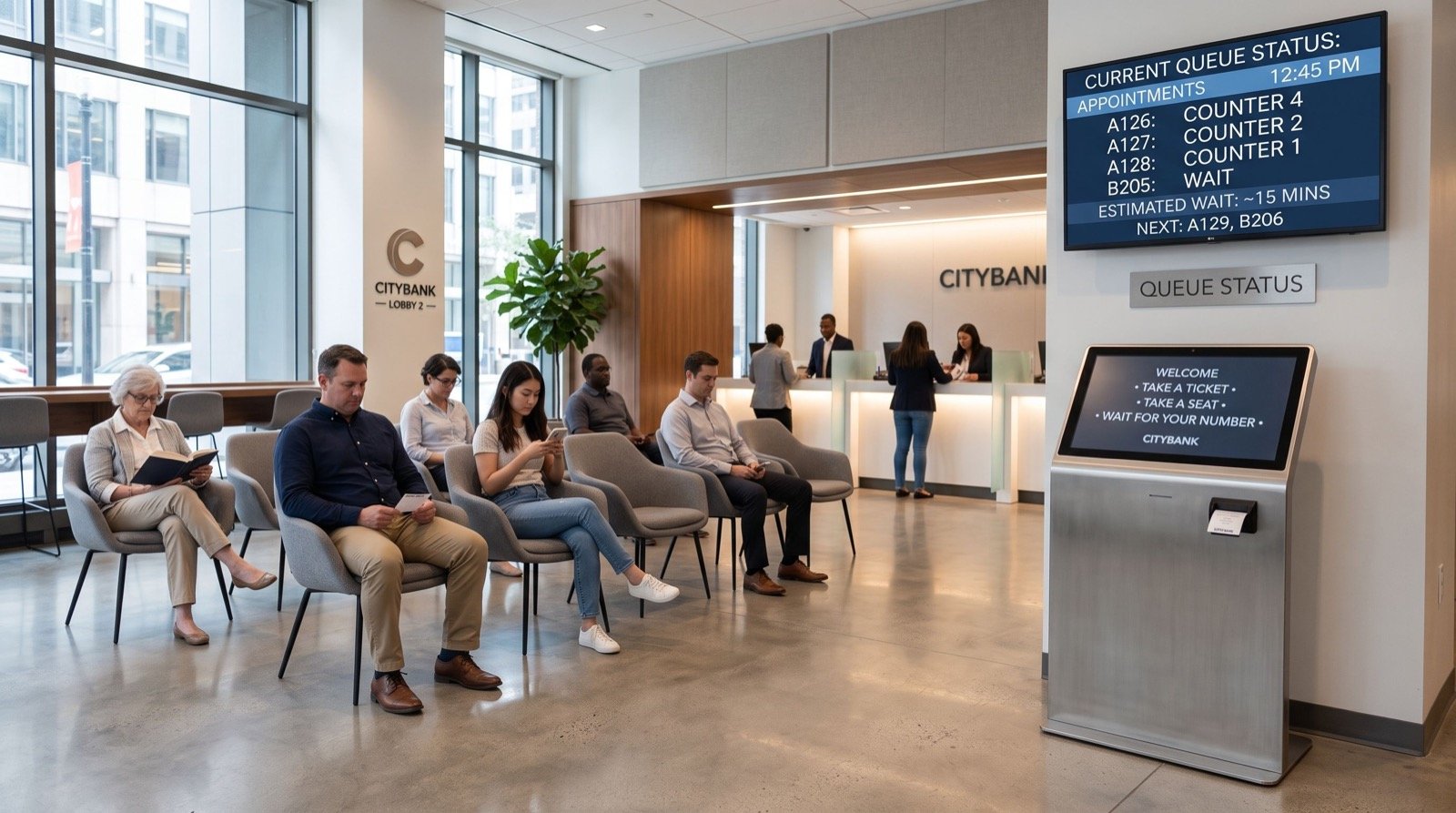
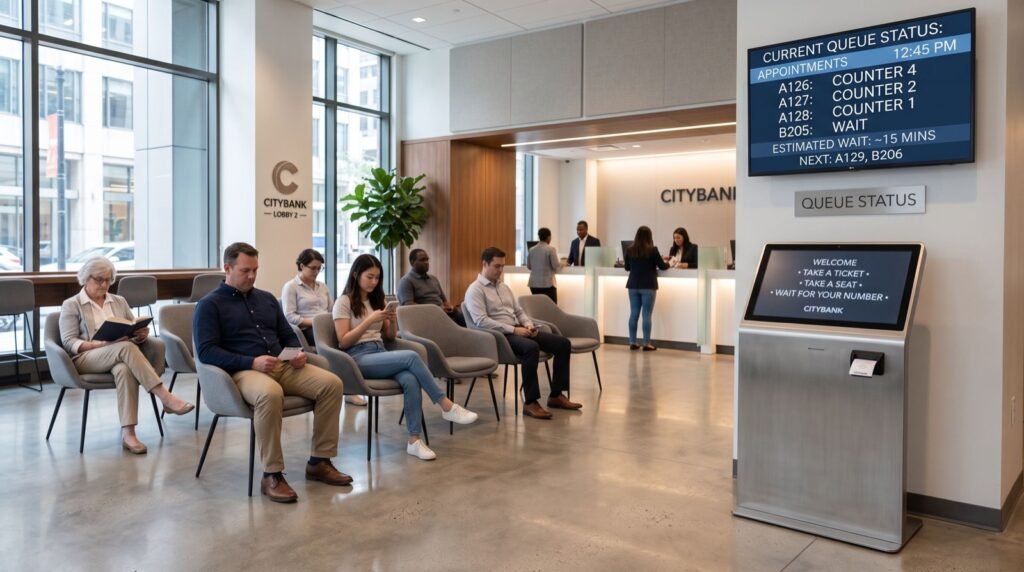
- Ticket issue: kiosks, mobile check-in, QR codes or a receptionist tablet.
- Display and calling: screens and audio announcements, ideally in Arabic and English.
- Counter software: agents call, transfer, recall or skip tickets from a simple panel.
- Reporting: waiting time, service time, abandonment rate and per-agent performance.
Good vendors also add SMS or WhatsApp alerts so people can wait in their cars or a nearby cafe rather than a crowded corridor.
Choosing a Queue Management System in Saudi Arabia: Key Criteria
Many buyers focus only on price. We suggest scoring each option against practical needs instead. The table below summarises the features that matter most for telecom branches and similar retail counters.
| Feature | Why it matters | Priority |
|---|---|---|
| Arabic and English interface | Serves residents and visitors equally | High |
| Multi-service routing | Separates billing, new lines and device repairs | High |
| Mobile and QR ticketing | Reduces lobby crowding | High |
| Live dashboards | Lets managers move staff during peaks | Medium |
| Feedback terminals | Captures satisfaction right at the counter | Medium |
| Local installation and support | Faster fixes and Arabic-speaking help | High |
Hardware that supports the software
Software alone will not fix a slow counter. Staff still need reliable scanners, label printers and headsets. If agents verify customer IDs or product barcodes, a rugged reader like the Honeywell Voyager XP 1470g keeps each transaction short, which directly shortens the line behind it.
That link between peripheral speed and queue length is an original insight many teams miss: shaving eight seconds from every scan can remove several minutes from a busy hour’s wait.
Step-by-Step Rollout Plan
1. Measure the current situation
Spend one week logging arrivals by the hour and noting service times. Even a paper sheet works. You will find your real peak, which is often different from what managers assume.
2. Map your service categories
Group transactions by length. A quick bill payment should not wait behind a thirty-minute contract migration. Separate queues, or priority rules, protect your short transactions.
3. Pilot in one branch
Install in your busiest location first. Train staff for two short sessions and place a greeter near the kiosk during the first fortnight, because customers need a little guidance at the start.
4. Review the data monthly
Look at average wait, longest wait and abandonment. Adjust staffing and opening hours using evidence. Share improvements with the team so they see the benefit.
Common Mistakes to Avoid
- Buying screens that are too small to read from the back of the room.
- Ignoring audio announcements, which many customers rely on.
- Skipping staff training and then blaming the software.
- Never reading the reports after installation.
- Choosing a vendor without an on-site support team in the Kingdom.
Practical Tips From Real Deployments
In our experience, small design choices decide whether customers love or resent a system. Keep the kiosk menu to six buttons or fewer. Use large Arabic text with clear icons. Display the estimated wait on the ticket, because uncertainty frustrates people more than the wait itself.
Also plan for prayer times and peak weekend shopping. Configure automatic schedule changes so the system pauses calls during breaks without confusing the lobby.
Budgeting and Return on Investment
Finance teams want numbers, so build a simple model before you request approval. Start with the cost of lost customers. If thirty people walk out each week and each would have spent the average basket value, the monthly loss is easy to calculate. Compare that figure with the annual cost of the platform, the screens and the support contract.
Then add softer gains. Shorter waits reduce staff overtime, lower complaint handling time and improve online ratings. Most operators find the payback period falls inside two years, and sometimes within one when the branch is very busy.
Cost items to include in the business case
- Kiosk, display screens and audio hardware
- Software licences and any per-counter fees
- Installation, cabling and configuration
- Training sessions for supervisors and counter staff
- Annual maintenance and remote support
Data Privacy and Security Basics
When customers enter a mobile number to receive an SMS alert, you collect personal data. Store it securely, delete it after the visit, and tell customers why you need it. Ask the vendor where the data is hosted, who can access it, and how backups are protected. A reputable supplier answers these questions in writing without hesitation.
Keep user accounts separate for every supervisor, and remove access when someone leaves the company. These simple habits prevent most avoidable security problems.
Integrating With Existing Business Tools
Queue software becomes far more useful when it talks to your other systems. A link to the customer database lets agents see the visitor’s history before they reach the counter. A connection to appointment booking merges scheduled and walk-in customers into one fair flow. Reports can also feed into your regular management dashboard, so branch performance is reviewed alongside sales.
Frequently Asked Questions
How much does a queue management system cost in Saudi Arabia?
Prices vary with the number of counters, kiosks and screens. A small single-branch setup costs far less than a multi-branch cloud platform. Request quotes that list hardware, licences, installation and annual support separately.
Can the system work without internet?
Yes. Many installations run on a local server inside the branch, with cloud sync for reports when connectivity returns. This is useful for remote locations.
Does it support Arabic announcements?
Quality platforms offer Arabic and English voice calling and bilingual displays. Always test the voice quality during a demo before signing.
How long does installation take?
A typical single-branch project takes a few days, including configuration and training. Larger rollouts across several cities are phased over weeks.
Conclusion
A well-chosen queue management system in Saudi Arabia reduces stress for both customers and staff, and it gives your business reliable data for 2026 planning. Start with a measured pilot, match the hardware to your counters, and review the numbers monthly. When you need installation support, speak with reputable service experts who understand local requirements, and request a demo before you commit.